Claude connector submission checklist for Claude's directory
Claude connector submission starts in the developer portal under Submit new → MCP connector. Anyone on a paid Claude plan can submit, subject to organization roles. Prepare a remote HTTPS server, OAuth when your tools act on a user’s account, and a title plus the applicable annotation on every tool.
Anthropic scans submissions and normally lists passing connectors as Community. Verified review is a separate escalation that Anthropic assesses automatically; there is no application for the label and no fixed review time. The checklist below follows Anthropic’s documentation checked on October 25, 2026.
Any paid Claude plan can submit a connector
You can submit a Claude connector from Pro, Max, Team or Enterprise. Free accounts cannot submit. Anthropic’s publishing requirements apply to both connectors and plugin bundles; you do not need to join a partner program first.
On Pro and Max, submit from your own account. On Team and Enterprise, an Owner can submit. An Enterprise Owner can also grant the Directory permission through a custom role under Organization settings → Roles. Use the organization that should own the listing long term.
If you are looking for the Anthropic connector directory, the current documentation calls it the Connectors Directory. It serves Claude web, Desktop, mobile, Cowork and Claude Code. Some older guides restrict submission to Team or Enterprise; the current paid-plan and role rules above replace that advice.
Choose between an MCP connector and a plugin bundle
Claude’s developer portal accepts a remote Model Context Protocol server as an MCP connector. A plugin bundle packages skills, commands, agents and server references. If you run the remote server behind your plugin, submit the server as a connector too.
The separate connector listing gives you its authentication configuration, server health and usage by tool, plus the option to pair it with a plugin submitted by the same organization. Keep the same server URL in the bundle so someone who installs both gets one set of tools.
An MCP App adds interactive UI to a server. Submit its remote server as a connector and prepare its carousel screenshots. Local servers belong inside plugin bundles: standalone desktop-extension listings are deprecated, and the directory no longer accepts local servers packaged as MCP Bundles (MCPB). Skills also need a plugin bundle, with its own files and JSON manifest.
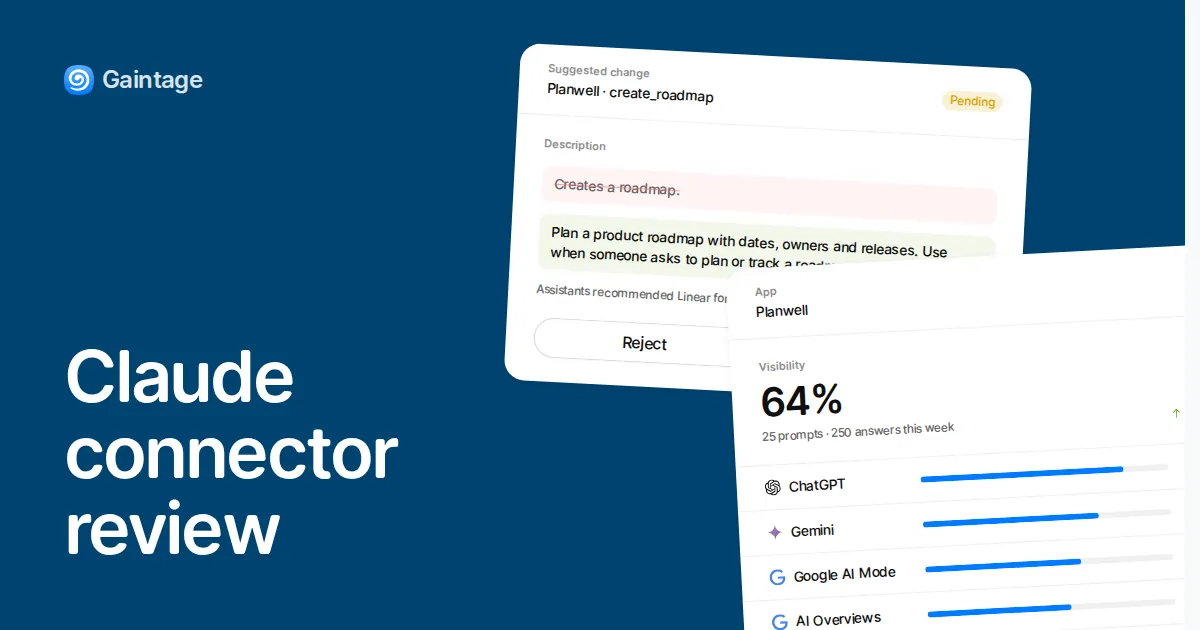
After approval, listing fields and tool descriptions help explain when someone should use your connector. Gaintage provides app store optimization for AI app stores; AI visibility for Claude connectors and plugins covers that discovery job. Gaintage drafts MCP and listing edits you Accept or Reject. You publish the changes you accept.
The pre-submission checklist
Claude’s Connectors Directory checks the server, tools, listing and reviewer access. Test reviewer access and each tool before starting the form, so a reviewer can reproduce the use cases you describe.
Requirements checked October 25, 2026, against the primary sources in each row.
| Item | What Anthropic requires | Where it is checked | Source |
|---|---|---|---|
| Remote server | A reachable https:// URL | Connection | Submission guide |
| Authentication | OAuth for authenticated services; no authentication for public data | Authentication and connection test | Submission guide |
| Tool metadata | A title and applicable readOnlyHint or destructiveHint for every tool | Tools and review | Review checklist |
| Tool tests | Exercise every tool in MCP Inspector and as a custom connector in Claude | Test & launch | Review checklist |
| Documentation | Setup and usage instructions, public by publication; private review access is allowed | Listing and review | Review checklist |
| Privacy policy | An accessible URL explaining data collection, use and retention | Listing and review | Directory policy |
| Support contact | Verified contact details and support for product or security issues | Listing and Company | Directory policy |
| Icon | The connector’s listing icon | Listing | Submission guide |
| MCP App screenshots | Carousel assets when the server has interactive UI | Listing | Screenshot requirements |
| Reviewer access | Complete connection instructions and a populated test account where relevant | Test & launch | Submission guide |
| Account eligibility | A paid Claude plan and the required role | Portal access | Publishing requirements |
Submitting also means accepting the Software Directory Terms. Maintain the connector’s security and functionality, respond to security reports, and keep its descriptions and documentation accurate. The Software Directory Policy also applies after publication.
The ten steps in the developer portal
Start your Claude directory submission at claude.ai/directory/manage, select Submit new, then choose MCP connector. Anthropic’s submission guide lists the following steps in this order, checked October 25, 2026.
- Connection. Paste the HTTPS server URL or select a custom connector you already added. For customer-specific endpoints, choose Users connect to different URLs, then Multiple URLs or URL pattern. Those listings require Verified status before publication.
- Tools. Let the portal sync tools, prompts and resources from the server. It groups tools by read-only or write annotations. Fix flagged titles and annotations on the server before submitting.
- Listing. Add the public name, one-liner, description, categories, documentation, privacy policy, support contact, icon and slug. Check the field limits below before writing the final description.
- Use cases. Describe the main tasks, what someone needs before connecting and whether the connector reads data, writes data or both. State account or setup requirements explicitly.
- Company. Provide the company name, website and primary contact for review updates.
- Authentication. Specify when users must sign in and the supported method. Use Required when the server asks if only some tools need authentication. Enter an OAuth client ID and secret here if Anthropic will hold your client credentials.
- Data handling. Identify whether the API is yours, legitimately proxied with permission or controlled by another party. Disclose personal health data and sponsored-content behavior where asked.
- Test & launch. Give reviewers each link and access step, including credentials for a populated test account where needed. Confirm that you ran every tool through MCP Inspector or a custom connector; the review checklist recommends testing both.
- Compliance. Complete all seven acknowledgments covering directory guidelines, first-party API usage, financial transactions, AI media generation, prompt injection, conversation-data collection and public documentation.
- Review and submit. Check the complete submission and any quality warnings. Warnings such as very short answers go to reviewers with the submission. Submit after correcting the server and listing issues you can resolve.
The portal saves progress within your browser session as you move between steps. Keep your source documentation and listing copy separately so you can maintain them after submission.
Authentication and transport rules
Claude’s Connectors Directory requires OAuth for authenticated services. Public-data tools can use no authentication, and Verified status is not a prerequisite for OAuth to work.
The directory policy, checked October 25, 2026, specifies secure OAuth 2.0 with certificates from recognized authorities. Remote servers should support Streamable HTTP. The policy still permits SSE temporarily, so do not treat it as the preferred transport for a new server.
Anthropic-held OAuth client credentials are a directory-only feature. They cannot be used with a URL pattern connection, according to the submission guide. A Multiple URLs connection has a different restriction: it cannot use a custom connection. Confirm which connection option fits your server before entering client credentials.
Anthropic’s directory does not require DNS or .well-known domain-ownership proof. That is a separate requirement associated with the official MCP Registry. The Registry is a metadata repository for downstream directories, not a ranked app store; adding a record there does not list your server in Claude.
Do MCP tool annotations matter for Claude’s review?
Yes. Claude’s connector review requires every tool to have a title and the applicable annotation. Anthropic specifies readOnlyHint: true for read-only tools and destructiveHint: true for tools that modify or delete data.
These hints affect auto-permissions: read-only tools can run without confirmation for every call, while destructive tools prompt. Apply Anthropic’s connector review checklist to the actual behavior of each tool, not just its name.
Split reads and writes into separate tools. A catch-all api_request tool that accepts both GET and DELETE through a method parameter fails this requirement, even if the description explains the difference. Prefer separate create, update and delete operations where they have different effects.
Custom query tools that accept caller-built paths, queries or request bodies must name or link the target API. A purpose-built tool that calls a fixed endpoint internally does not need that API-documentation reference. Tool names must stay within 64 characters, according to the checklist checked October 25, 2026.
Descriptions should state the operation, when to use it and relevant limits. Anthropic rejects descriptions that:
- Instruct Claude to call unrelated external tools without the user requesting them.
- Interfere with Claude using other tools.
- Pull behavioral instructions from an external source.
- Hide or encode instructions.
- Override system instructions, promote services or direct behavior unrelated to the tool.
A useful test prompt exercises the tool’s stated job and checks the actual response. Also try an unsupported request and confirm that the tool returns an actionable error or stays out of the task.
What goes in your Claude connector directory listing
Claude’s Connectors Directory uses the listing to explain your server’s purpose and setup. Write the detail-card description yourself; Anthropic’s submission guide says its staff cannot edit that text for you.
Listing limits checked October 25, 2026, from the submission guide.
| Field | Limit | Rule |
|---|---|---|
| Server name | 100 characters | Name the server people will connect to |
| One-liner | 200 characters | State its main function |
| Description | 2,000 characters | Explain use cases, setup and relevant boundaries |
| Categories | One to five | Choose categories that match supported work |
| Documentation URL | No character limit stated here | Provide clear setup and usage instructions |
| Privacy policy URL | No character limit stated here | Explain the connector’s data practices |
| Support contact | No character limit stated here | Provide a working contact for assistance |
| Icon | No dimensions stated here | Supply the listing icon |
| URL slug | Permanent after publication | Choose a durable listing address |
The published address follows claude.ai/directory/connectors/SLUG. Do not plan to rename the slug after launch.
Provide at least three working example prompts or use cases under the directory policy, checked October 25, 2026. Use requests your test account can complete. For a project-management connector, that might mean finding an assigned task, reading its details and creating a task if the server supports writes.
For an MCP App, prepare three to five PNG images at least 1,000 pixels wide, as specified in Anthropic’s submission guide checked October 25, 2026. Crop each to the app response and provide its prompt as separate text. Video and GIF assets are not accepted for that carousel.
Allowed link URIs are optional. Declare only HTTPS origins and native-app schemes your organization owns. Unlisted destinations still open, but Claude asks the user to confirm them.
Gaintage’s count of Claude’s public connectors page data on October 3, 2026 found 624 remote and 110 local records among 734 unique directory URLs. Of those records, 112 had the MCP App flag, rounded to 15%; the median one-liner was 51 characters and 45 titles contained “MCP.” These describe the archived page fields, not Gaintage tracking or a test of the interfaces.
Method: deduplicate the public page records by directory URL, then count server type and hasMcpApp, measure one-liner lengths and match “MCP” in titles. The companion sitemap contained 892 connector URLs, so the 734 page records do not cover the whole directory. Source: Claude’s public connectors page, Gaintage’s October 3, 2026 archive, n = 734.
How does a Community connector become Verified?
Anthropic automatically assesses whether to escalate a Community connector to Verified review. There is no separate application. The closer review includes a functional test of each tool and takes longer than the automatic screening for Community listings.
The verification documentation describes what the labels mean, checked October 25, 2026.
| Label | Who reviewed it | What users see |
|---|---|---|
| Verified | Anthropic tested tools for quality and compatibility | A checkmark by the name |
| Community | Anthropic screened the developer’s submission without an in-depth review | A Community label and a reminder before connecting |
| Custom | Added by the user; not reviewed by Anthropic | A custom connector |
Verification is not a security audit or a guarantee of future behavior. The label changes how a connector is displayed and discovered, not the tools and permissions it has once connected. Customer-specific URL listings need Verified status before publication.
What gets a connector rejected
Claude’s Connectors Directory rejects tools that fail with valid inputs, misdescribe their behavior or collect data beyond their function. Check the entire server response, including errors and metadata, against the use case you submitted.
The review checklist rejects money or asset transfers and AI image, video or audio generation, while allowing design aids such as diagrams, charts and UI mockups. The broader policy describes financial restrictions in terms of human-in-the-loop safeguards; that wording does not establish an exception to the connector checklist. Resolve a financial-transfer use case with Anthropic before submitting it.
The Software Directory Policy also excludes advertising, sponsored content, paid placement and primarily adult content. Use endpoints and domains you own or control. If your server proxies another service’s API, have permission to do so.
Return specific errors that help someone correct the request. A generic “Internal Server Error” without detail fails review. Validate inputs and keep response sizes proportionate to the task. A summary request should not return a database dump.
Do not collect extra conversation content for logging, or query Claude’s memory, chat history, summaries or uploaded files. Supply the privacy policy that explains your data practices. Although standalone local submissions are deprecated, Anthropic’s retained local-connector requirements still say missing or incomplete privacy policies cause immediate rejection.
After you submit
Claude’s developer portal shows your status and any reviewer feedback. Community listings normally publish after automatic screening without another action from you; submissions that enter human review can need further changes or manual publication.
The connector status reference lists Draft, In review, Changes requested, Not approved, Approved and Published. If you see Changes requested or Not approved, read View feedback, correct the listing and resubmit. If you see Approved, select Publish; approval alone has not made that listing live. Review time is not fixed.
For an MCP connector escalation, email mcp-review@anthropic.com with the listing name, submitting organization and current status.
Publication makes a connector eligible for Suggested Connectors automatically. Custom connectors are never suggested, and a listing in the MCP Registry alone does not surface a server inside Claude. When several connected apps fit, Claude can show the options for the person to choose.
Anthropic’s suggestion guidance says it does not sell placement. Directory rank is usage-based: according to the listing metrics documentation, checked October 25, 2026, it counts distinct Claude accounts that sent the server any MCP message in the previous 30 days. Initialization and tool-list messages count, even without an actual tool call. Trending marks the top ten by recent growth in that same count.
Use the listing’s health and usage page to inspect tool errors and usage by product or tool. Deploy tool behavior changes from your server; edit listing metadata, including tool names shown on the listing, through the portal. Notify Anthropic of material changes to functionality, descriptions, data practices or endpoints, as the directory policy requires.