ChatGPT plugins, how they work and how to choose one
ChatGPT plugins now package skills and app connections in a directory shared with Codex. OpenAI replaced the App Directory with the Plugin Directory on July 9, 2026; you can find a plugin by searching, following a direct link or seeing it on a directory page OpenAI selects. Developers cannot request that placement. (OpenAI release notes; plugin architecture; plugin guidelines)
A plugin can include reusable instructions called skills, an app connection built on an MCP server, or both. Some apps also provide an interface for visual work.
How did ChatGPT plugins change?
OpenAI announced GPTs in November 2023 and began rolling out the GPT Store in January 2024. The original plugin beta then wound down: new installs and conversations ended in March 2024, while existing conversations continued until April 9. OpenAI introduced the Apps SDK for chat-native apps in 2025. Today’s Plugin Directory is a separate package format that combines skills and app connections, and it is shared with Codex. (OpenAI developer forum notice; current OpenAI migration FAQ; GPTs announcement; Apps SDK announcement; current plugin architecture)
| Period | Name | What it described | Source |
|---|---|---|---|
| May 2023 | ChatGPT plugins beta | Third-party integrations enabled in ChatGPT | OpenAI release notes |
| November 2023 | GPTs announced | Custom ChatGPT experiences | OpenAI announcement |
| January 2024 | GPT Store | A directory for discovering GPTs | OpenAI announcement |
| March–April 2024 | Original plugin beta wound down | New installs and conversations ended in March; existing conversations ended April 9 | OpenAI developer forum notice |
| October 2025 | Apps SDK | Tools for chat-native apps | OpenAI announcement |
| July 9, 2026 | Plugin Directory | Packages that can combine skills and app connections, shared with Codex | OpenAI release notes |
| Scheduled for Dec. 11, 2026 | Custom GPT migration | OpenAI plans to retire custom GPTs and help creators move workflows into plugins; account and workspace timing can vary | OpenAI migration FAQ |
OpenAI’s migration guide says a GPT’s instructions become a skill, connected apps become apps in the plugin, and reference files carry over. Custom actions do not transfer through the built-in migration, so creators need to check those connections separately. The replacement plugin starts private; migration does not automatically install it or give other people access. (OpenAI migration guide)
What is a ChatGPT plugin now?
A ChatGPT plugin is a reusable package that can contain skills, an MCP server, or both. The app is the connection to an external service; a skill gives the model instructions for a repeatable workflow. A plugin may also include app templates and lifecycle hooks in supported Codex runtimes. The app connection can return an optional interface. (plugin architecture; MCP server overview)
| Term | What it means | Where it fits |
|---|---|---|
| Plugin | A package people can discover, install, share or publish | The directory and installed package |
| App | A connection to an external service, often through MCP | The tools and information a plugin can access |
| Connector | A product-specific word for a service connection | Claude uses “connector” for its integrations |
| Skill | Instructions and resources for a repeatable workflow | Guides how the model uses tools or completes a task |
| GPT | A custom ChatGPT experience | A separate product that OpenAI plans to migrate to plugins |
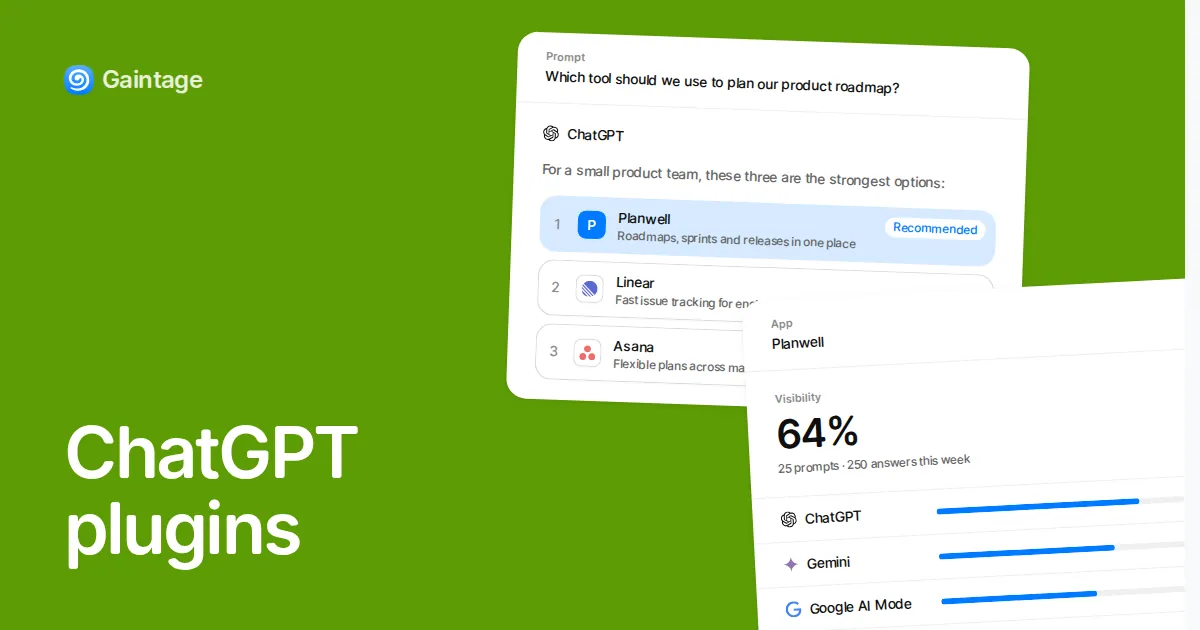
An MCP server is one way to connect an app to an external service. A skill can guide the model in using that connection, but the server still determines which tools and permissions are available. If you ship a plugin, track how often ChatGPT offers your plugin, which competing plugin it offers instead and how your listing appears in the directory.
How ChatGPT plugins use MCP servers
A plugin’s app connection can use an MCP server, so developers can reuse an existing server instead of rebuilding each integration. The server describes its tools and their inputs. ChatGPT uses that metadata to decide when a tool may fit a request. An app can return structured information in the conversation without a custom interface. (MCP server overview; metadata guide)
For work that benefits from a visual surface, an MCP server can return UI resources through MCP Apps. ChatGPT supports the open MCP Apps standard, allowing compatible clients to use the same interface. ChatGPT-specific extras such as window.openai are separate and only apply in ChatGPT. (ChatGPT UI guide; MCP Apps)
Where to find ChatGPT plugins
Open the Plugin Directory at chatgpt.com/plugins. Search for a service, follow a direct link or browse the directory’s category pages. ChatGPT and Codex use the same public catalog, although a plugin’s supported features can vary by surface. (OpenAI plugin documentation)
People still search for a ChatGPT plugin store or ChatGPT app store. OpenAI’s current name for the public listings is Plugin Directory. A Chrome extension is different: it adds features to a browser, while a plugin adds skills or a service connection to ChatGPT or Codex.
Check a listing’s supported actions and access requirements before installing it; the directory and its categories can change.
How do you install a ChatGPT plugin?
The directory is available across ChatGPT plans, but access to a specific plugin can depend on your account, workspace settings and the service itself. A connected app may require sign-in or separate authorization. (Plugins in ChatGPT)
- Open the Plugin Directory. Search by the service name or the job you need to do.
- Review the listing. Check what the plugin does, which information it can access and whether the service requires an account.
- Install or connect it. Follow the instructions in ChatGPT or Codex. Authorize the service when prompted.
- Use it for a task. Describe the work you need done. ChatGPT can use available plugin tools when they fit, and some actions may ask you to confirm.
In Codex, open Sources, select Use plugins, then search for and select a plugin. Workspace administrators may control which plugins are available. (OpenAI plugin help; Codex plugin docs)
Are ChatGPT plugins free?
The Plugin Directory is available across ChatGPT plans, but access to a specific plugin can depend on your plan, workspace settings, role, region and the plugin’s capabilities. A connection may also require a separate account or paid service access, so check its listing and the provider’s terms before connecting it. (Plugins in ChatGPT)
OpenAI’s commerce rules limit what plugins can sell through ChatGPT. They allow physical goods, but not digital goods, subscriptions, credits or freemium upgrades through a plugin. Existing customers may sign in, and a plugin may explain that a feature requires another plan, but it cannot send users to a checkout flow from the plugin. (OpenAI plugin guidelines)
How ChatGPT suggests plugins in a conversation
ChatGPT uses the plugin’s metadata to understand what its tools do and when they may fit a request. Clear tool names, descriptions and parameter details help the model select the right action. OpenAI does not publish a complete formula for in-chat suggestions. (metadata guide)
Directory placement is a separate decision. OpenAI says plugins with strong utility and user satisfaction may be eligible for enhanced distribution, including placement or proactive suggestions. OpenAI selects which plugins receive it, and developers cannot request it. Plugin text must not try to steer the model toward the plugin or serve ads. (OpenAI plugin guidelines)
Search and direct links provide ways to find a listing even when OpenAI has not placed it on a curated directory page. Developers can make the listing and tool metadata clearer, but OpenAI controls directory placement and ChatGPT decides which connected tools fit a request.
How to choose the best ChatGPT plugins by category
The best ChatGPT plugins depend on the task, the service you already use and the access you are comfortable granting. OpenAI groups listings into categories such as Productivity, Creativity, Education & Research, and Business & Operations. Use a category to narrow the search, then judge each listing by the work its tools can do. Browse the full ChatGPT apps list by category. (OpenAI Plugin Directory; Productivity; Creativity; Education & Research; Business & Operations)
| Category | What to evaluate | A useful check |
|---|---|---|
| Productivity | Search, summarize or update information in connected services | Can it find the source material and show what it used? |
| Creativity | Work with design, media or written content | Does the listing explain what the app can create or change? |
| Education & Research | Find and work with research material | Can you inspect sources and distinguish cited facts from generated text? |
| Business & Operations | Work with customer, sales or operational tools | Which records can it read or change, and does it ask before consequential actions? |
These are selection criteria, not a ranking or endorsement. Review the permissions and required account, then try the connection with a low-risk request. Two plugins in the same category can offer different actions and request different access. A plugin is useful when a task depends on your information or an action in another service; built-in ChatGPT features are not plugins.
What app makers need to know before submitting a plugin
A public plugin listing starts with a package that meets OpenAI’s requirements. Submit it through the plugin portal, address review findings and choose Publish when it is ready. People can find a published plugin by name or direct link; OpenAI selects which listings appear on the directory’s main pages. Review can cover the package, app connection, privacy details and how the tools behave in the test cases. (submission guide; review and distribution)
The parts you control are the usefulness of the tools, their metadata and the accuracy of the listing. Describe each action clearly and explain what the service does without unsupported claims or promotional language that tries to steer the model. Use the review checklist for metadata, permissions and test cases, then follow the steps to submit one of your own. For a Claude Code plugin, OpenAI also explains how to submit it to ChatGPT.
Gaintage helps app makers improve app store visibility by tracking app recommendations across your selected platforms and positions in the ChatGPT Directory, comparing competitors and suggesting listing and metadata changes for you to accept or reject.